 gastos
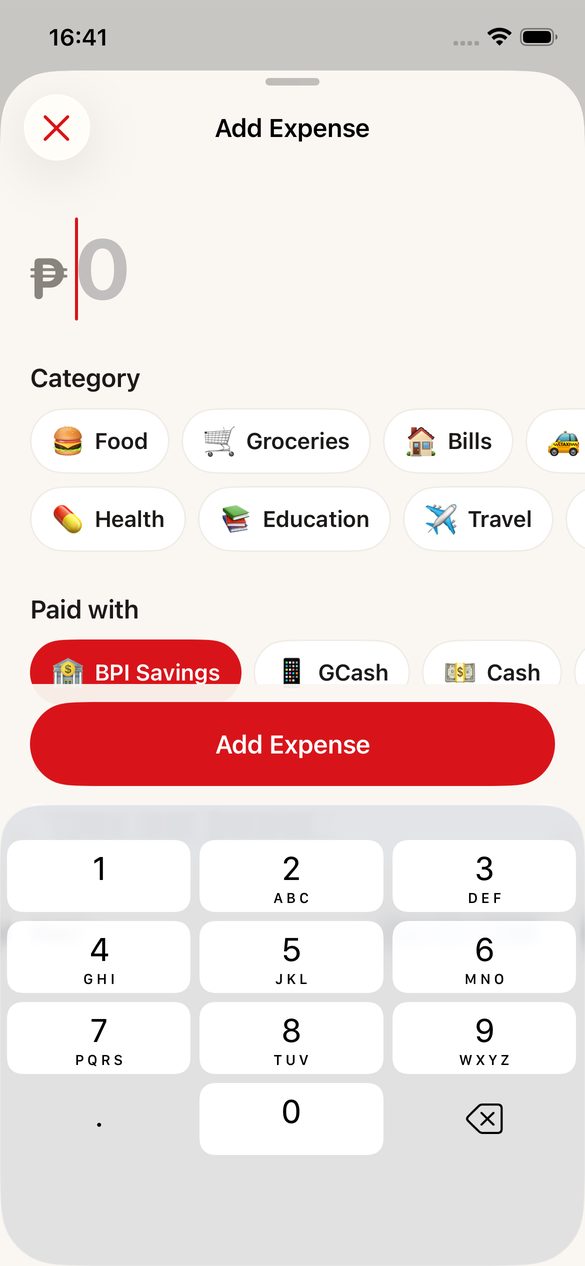
Add in under 5 seconds
The amount is ready to type the moment you tap +. Pick a category, pick a wallet, done.
For iPhone
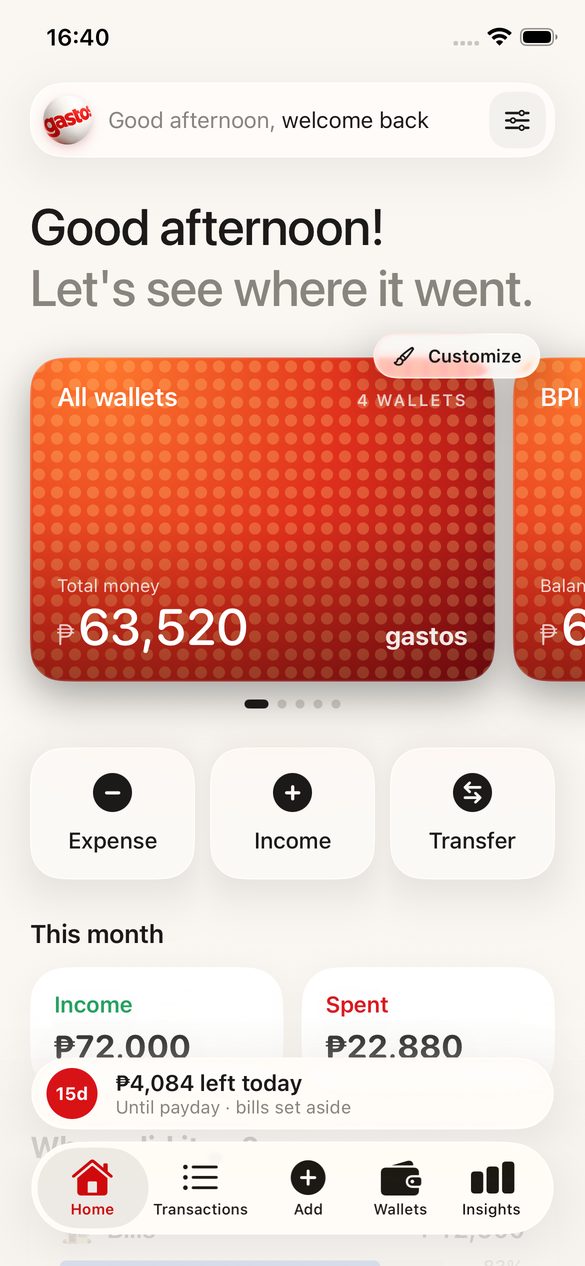
gastos is a calm, simple money tracker. Type ₱350, tap Food, tap Cash — done. See what you spent, which wallet or card paid, and how much you can still spend today.
₱99/month. Use code GASTOS for your first month free (until Feb 28). No account needed; your money stays on your iPhone.
How much? What was it for? Which wallet paid? That's the whole idea — no accounting degree required.
The amount is ready to type the moment you tap +. Pick a category, pick a wallet, done.
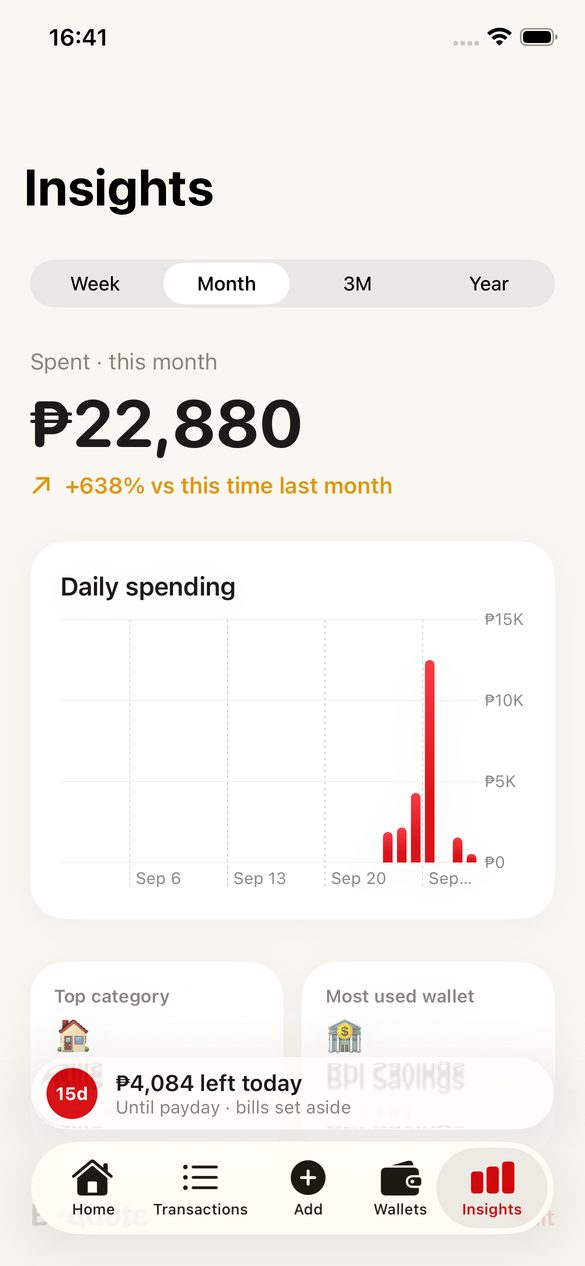
Spending by category, and tap any one to see which wallet or card paid for it.
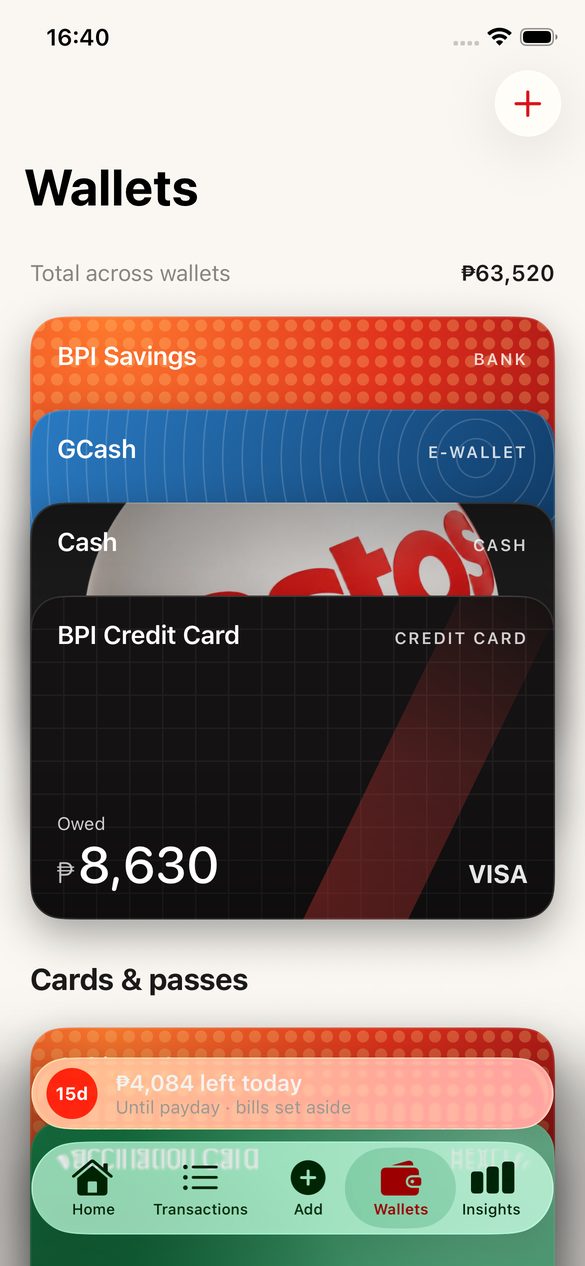
A card purchase counts as spending. Paying the card is a transfer, so nothing is counted twice.
Your money minus upcoming bills, spread over the days until payday. Tap it to see the math.
Netflix, rent, internet and payday are added on their date, and show up in Coming Up.
Keep loyalty cards, memberships, tickets and IDs with their QR codes, shown bright at the counter.
Every bank, e-wallet and card gets its own card. Pick a texture, any color, or a photo — and stack them like Apple Wallet.
Big numbers, soft glass, and nothing you don't need.
gastos never connects to your bank and never sells or shares your data. Read the privacy policy.
gastos is a money tracker for iPhone, made by Built by Leou. You type each expense — how much, what for, and which account or card paid — and it shows where your money went and how much you can still spend today.
gastos is free to download. Using it needs gastos Premium, ₱99 a month, billed by Apple. One subscription covers up to 6 people through Apple Family Sharing. Cancel anytime in Settings.
No. gastos is a record-keeping app: you type in what you spent. It never connects to banks or payment apps, and it never moves, holds or sends money.
Yes. Your data lives on your iPhone and everything works offline. Sign in with Apple is optional and only needed to sync your devices.
More answers on the support page.